AI Logo Maker
- 4.2
- Rating
- 100.00K
- Installs
- Free
- Price
 Analysis by App-foxy
I approached AI Logo Maker as a practical design tool rather than a novelty generator. Its promise is simple: help you move from a vague business idea to a usable logo without opening a full desktop design suite. After spending time with it, my impression is that it can earn a place on a phone when you regularly need quick branding work, but its lasting usefulness depends on whether you are comfortable refining templates instead of expecting the app to invent a complete visual identity for you.
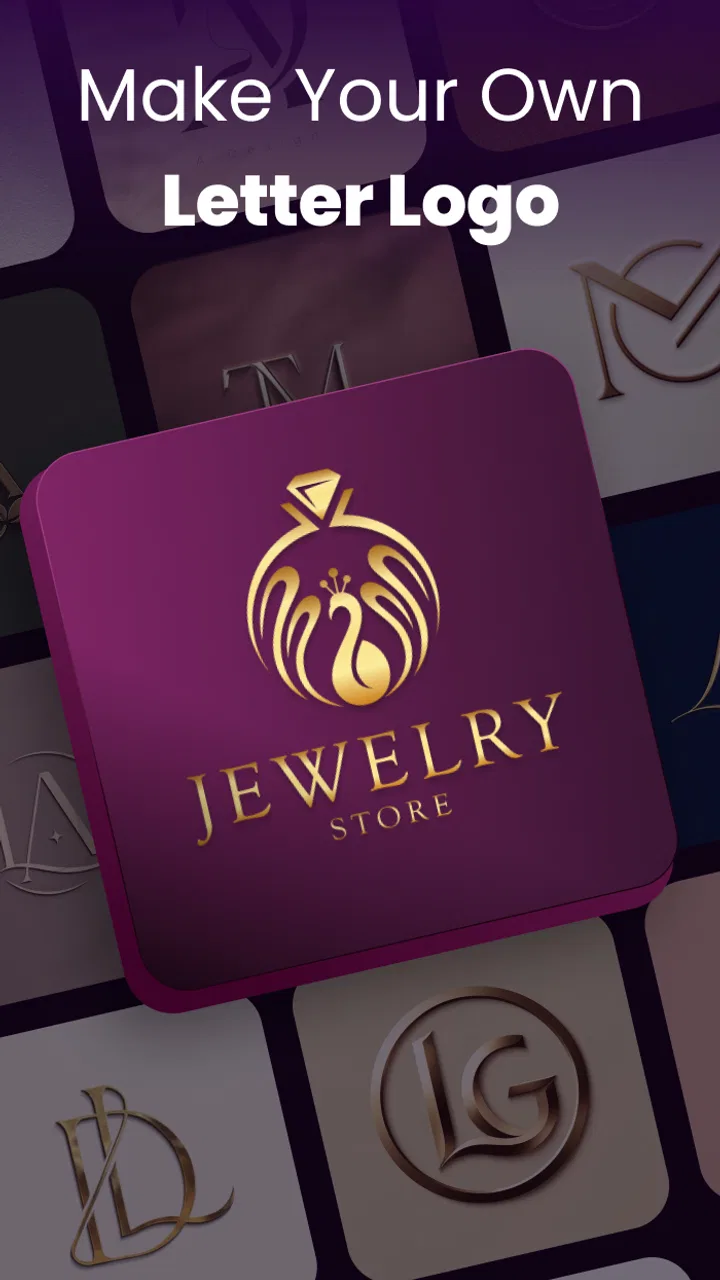
This is a free Art & Design app from FIRE Ltd, aimed at people who want to create a logo for a small business, side project, social profile, shop, event, or personal brand. It is available to an Everyone audience, runs on devices using Android 9 or later, and the current version is 72.0. The app has reached over 100 thousand installs and holds a 4.2 average from around 7 thousand ratings, so it has clearly attracted more than just a handful of curious downloads.
What the first week feels like
The first-week appeal comes from the reduction in friction. When I need a logo, I usually do not begin with a blank canvas and a carefully prepared brand strategy. I begin with a name, a rough idea, and a deadline. A logo maker is useful because it gives that uncertainty somewhere to go. Instead of wondering which drawing tool to use, I can start by exploring visual directions and then react to what is in front of me.
You May Also Like

 Blood Strike: 2.5 Anniversary
Blood Strike’s Loadouts Turn Every Drop Into a Tactical Gamble
A close look at Blood Strike’s custom loadouts: how fast access to signature weapons reshapes its battle royale rhythm, rewards preparation, and narrows the gap between fights.

 Pandora - Music & Podcasts
Pandora’s Music Is Easy to Start, but Harder to Recover
Pandora’s strength is its low-effort path from a seed to a station. Its weak spot is how much confidence it asks you to place in connection, setup, and quiet recovery.

 8 Ball Pool
8 Ball Pool Is Built on Rivalries, Rematches, and Routine
A close look at the rivalries, rematches, shared routines, and unanswered safety questions that turn a quick pool match into a persistent mobile community.

 Samsung Music
Samsung Music’s Quiet Strength Is Playing What You Already Own
Its reach comes less from spectacle than from dependable access to a personal library. That simplicity is both the app’s strongest retention engine and its ceiling.

 AccuWeather: Weather Radar
AccuWeather Review: A Quick, Clear Forecast for Everyday Decisions
For everyday plans, the best forecast is the one you can understand quickly. AccuWeather makes rain timing, radar, and local conditions easy to act on, with a few trade-offs.

 Hill Climb Racing
Why Hill Climb Racing Still Turns Crashes Into One More Run
A tiny car, a bumpy hill and one more upgrade: Hill Climb Racing keeps resurfacing because its simple chaos makes every near-miss feel personal.
More From Our News Desk



That makes the app especially approachable for a new seller, a freelancer, a club organizer, or someone testing a business idea. You do not need to know how to build vector shapes before making progress. The AI-focused approach is also more inviting than a traditional editor for users who think in descriptions and examples rather than layers and technical settings.
My main advice during the first session is not to choose the first attractive result. Fast logo tools often produce designs that look impressive at thumbnail size but become ordinary once you compare them with several alternatives. I would generate or browse a wider range of directions, then remove anything that relies on a familiar symbol without adding a distinctive detail. A clean mark that reflects the name or service usually survives longer than a dramatic icon selected only because it looks polished at first glance.
The strongest early workflow is to treat the app as a sketchbook. I would prepare the business name, decide whether the logo must work mainly as a profile image or as a wider header, and keep a short list of words describing the desired mood. For example, “calm,” “local,” and “handmade” will lead me to judge a design differently from “fast,” “technical,” and “bold.” Even if the app does much of the visual work, the quality of the result still depends on the choices I bring into the process.
Useful for quick decisions, not automatic brand strategy
The distinction matters because an AI logo creator can help with visual exploration, but it cannot replace the business decisions behind the logo. I still have to decide whether the symbol is appropriate, whether the lettering remains readable, and whether the design feels too close to a common category style. The app can shorten the distance between an idea and a draft; it does not remove the need for taste.
That is one of the less obvious trade-offs. People often assume that a fast result means a finished result. In practice, the speed is most valuable when I use it to compare possibilities, not when I accept the first generated composition as final. I found the tool more convincing as a way to discover a direction than as a substitute for a designer who would ask deeper questions about audience, positioning, and long-term identity.
A realistic example would be a person starting a weekend home-baking service. They might need a recognizable image for a messaging profile, a small flyer, and a social page before they have enough revenue to hire a professional. This app can help them create a coherent starting point quickly. The important step is to test the selected logo at the size where customers will actually see it. Tiny lettering, thin decoration, and complicated details can disappear on a phone screen even when the larger preview looks excellent.
The first-week friction I noticed
Free access makes experimentation easier, but the presence of in-app purchases means I would not approach the app assuming every creative option or export-related convenience is included without cost. The listed purchase range runs from $7.99 to $99.99 per item. That is a meaningful difference between casually trying the app and relying on it for a complete business identity, so I would examine the purchase screen carefully before committing to a paid workflow.
This does not make the app unsuitable, but it changes how I evaluate it. A free logo tool is most attractive when I only need a concept or a modest visual for an early project. If I already know that I need repeated professional assets, multiple formats, or a carefully controlled brand system, I would compare the total cost with a dedicated design service or a full design application before building my process around it.
Another first-week limitation is the risk of visual sameness. Template-led tools can make many businesses look competent, but competence is not the same as recognition. I would avoid choosing a logo solely because it matches the expected symbol for an industry. A restaurant does not automatically need a fork, a technology project does not automatically need a circuit pattern, and a fitness service does not automatically need a silhouette. The app is more useful when I use its suggestions as raw material and deliberately remove the most predictable elements.
Whether it still matters after the novelty fades
After the initial excitement, the central question becomes how often I actually need a logo maker. Most people do not redesign their main logo every week. That means the app’s month-to-month value is not simply about generating more logos. It depends on whether it remains useful for small branding jobs that appear after the first design is finished.
For an occasional user, the value may come from returning when a new project starts. A community event, a podcast idea, a temporary online shop, or a personal portfolio can each need a distinct visual identity. In those situations, having a lightweight tool on a phone is convenient. I do not need to reopen a complex project just to create a starting mark for a short-lived idea.
For a small business owner, the more durable use is comparison and iteration. A logo may need to work on a profile image, a printed label, a simple announcement, or a storefront graphic. The app can be part of a recurring habit in which I check whether the design remains readable and recognizable in each setting. That is a better long-term role than endlessly producing replacement logos whenever the original begins to feel familiar.
A maintenance habit that protects the result
I would keep one approved version as the reference and resist changing several visual elements at once. If the name, symbol, colors, and layout all change together, it becomes difficult to tell whether the redesign is actually better. A more disciplined approach is to make one adjustment, compare it with the existing version, and ask whether the change improves recognition or merely creates temporary excitement.
This is where the app can support a useful habit, even though the habit comes from the user rather than from the software. I would review the logo at three practical scales: a small profile image, an ordinary phone preview, and a larger promotional placement. If the mark only works when enlarged, it is not ready for everyday use. If the name becomes unreadable when reduced, I would simplify the arrangement before worrying about decorative polish.
A second useful habit is to keep a small record of where the logo has been used. When I update a design, I want to know which old versions are still visible on social pages, documents, packaging, or saved images. A logo maker can help create the new visual, but it cannot prevent an audience from seeing inconsistent versions in different places. The maintenance burden is therefore partly organizational: the app makes creation easy, while consistency still requires attention.
I would also avoid redesigning simply because the app makes alternatives easy to produce. More options can become a distraction. If the current logo is readable, appropriate, and recognizable to existing customers, a new variation needs a clear reason to exist. This is an important long-term trade-off: convenient experimentation can improve a weak identity, but it can also encourage unnecessary changes that make a small brand harder to remember.
Who gets recurring value from it
The app is a good fit for users who handle several small projects, especially when speed matters more than deep control. A freelance social media manager could use it to explore visual directions for early client conversations. A student organization could create a temporary event identity without learning a professional editor. A solo seller could prepare a first logo while testing whether a product idea deserves a larger investment.
It is less compelling for someone who already has a complete brand system and needs strict consistency across many assets. In that case, a dedicated design application may be better because it is built around reusable components, precise editing, and controlled production rather than quick logo discovery. The same is true for a designer who wants detailed control over every curve and spacing decision. The convenience that helps beginners can feel restrictive to an experienced user.
Where fatigue begins
The biggest source of fatigue is not necessarily the act of making a logo; it is sorting through possibilities that are merely acceptable. AI-assisted creation can produce a feeling of progress because every new option looks finished. After a while, however, I may be comparing surface differences instead of making meaningful design decisions. Setting a stopping rule helps. I would select a small group of serious candidates, test them in real contexts, and stop when one clearly communicates the intended character.
Another source of fatigue is the gap between a logo preview and the practical work that follows. A finished-looking image still has to fit into the rest of a brand. If I need matching social graphics, packaging layouts, presentation materials, or a complete visual guide, a logo-focused app may become only one step in a larger process. That is not a flaw in its core purpose, but it is a reason not to confuse logo creation with full design production.
The purchase structure can also affect long-term comfort. Because optional items are listed from $7.99 up to $99.99, I would decide in advance whether I am testing an idea or building a business asset. For a casual project, a paid upgrade may not be worthwhile. For a commercial identity, paying can make sense only if the resulting workflow saves time and produces assets I can use confidently. I would judge that value against alternatives rather than paying automatically because a generated design looks attractive.
There is also a personal fatigue factor: repeated exposure to similar visual language. If I use the app for many unrelated projects, I would actively vary the brief and inspect whether the results are drifting toward the same type of icon, lettering, or composition. A simple way to avoid this is to begin with the audience and practical use case, not with a favorite visual style. That keeps the logo tied to the project rather than to the app’s most familiar suggestions.
How it compares with familiar alternatives
Compared with starting from paper, AI Logo Maker is faster and more structured. Compared with a general-purpose mobile design editor, it is more focused: I can concentrate on the identity mark instead of assembling every element manually. That focus is its clearest advantage for beginners who want a result without studying a large collection of design tools.
Compared with hiring a professional designer, it is more accessible for an early experiment, but it cannot offer the same level of strategic questioning or bespoke refinement. A designer can challenge the brief, identify a positioning problem, and create a system that behaves consistently across many formats. I would use this app for a first-stage business or a modest personal project, then consider professional help when the logo becomes central to a growing brand.
Compared with a full desktop graphics application, the trade-off is control. A professional editor is slower to learn but usually makes detailed adjustments easier to manage. If I need exact geometry, carefully prepared production files, or a broader identity system, I would choose the more specialized tool. If I mainly need a credible direction quickly on a compatible phone, the focused approach is more sensible.
Questions I would settle before relying on it
Can a beginner use it without design experience? In my view, yes, provided the beginner is willing to judge the results rather than accept them blindly. The app lowers the technical barrier, but basic decisions about readability, distinctiveness, and audience still matter. I would recommend it to someone who wants guided exploration, not to someone hoping to avoid every design decision.
Is it genuinely free? It can be downloaded and used as a free app, but in-app purchases are part of the offering. I would inspect which parts of my intended workflow require payment before investing time in a final identity. That is particularly important for a business owner who needs dependable access to the finished work rather than just an attractive preview.
Will it replace a designer? I would not treat it that way. It is a useful starting point and a practical solution for limited needs, while a designer remains the stronger choice when the logo must express a nuanced position or support a larger identity system. The right choice depends on the importance of the brand, the available budget, and how much control I need.
Is it worth keeping installed after the first logo? For me, the answer is yes only when I have recurring small projects or regularly help other people with early branding. If I need one logo once and have no related work ahead, the app’s long-term role is naturally limited. Its value is strongest as an on-demand workshop, not as an app I must open every day.
My long-term verdict
AI Logo Maker earns lasting space when speed, accessibility, and early-stage experimentation matter more than exhaustive control. I like it as a practical bridge between having no visual identity and having a usable first direction. It is approachable, focused on logo work, and suitable for an Everyone audience, which makes it easy to recommend to beginners with a realistic project in mind.
My reservation is that convenience can disguise unfinished thinking. The app can give me a polished-looking result before I have decided whether the mark is distinctive, readable, or appropriate for repeated use. I would not build a serious brand around the first result without testing it at real sizes and checking how it sits beside the business name and other materials.
For a new side business, a temporary project, or a user who wants to explore several visual directions without learning a complex editor, I think the free starting point is worthwhile. For an established company, a professional designer, or anyone who needs a complete and tightly controlled identity system, I would look beyond it. The app’s recurring value comes from disciplined reuse and occasional practical creation, not from constant redesign.
In the end, I would keep it available for quick logo experiments and early business work, while treating its output as a draft until it survives everyday use. That balance captures what it does best: it makes the first step much easier, but the judgment that turns a logo into a lasting identity still belongs to me.
FAQs for AI Logo Maker
01What is AI Logo Maker and how does it work?
AI Logo Maker is a design application that uses artificial intelligence to help create logo concepts from your business name, industry, preferred style, colors, and other details. After entering your information, the app generates several logo suggestions that you can review and customize. It is designed for users who want a quick starting point without needing advanced graphic design experience.
02Can I customize the logos generated by AI Logo Maker?
Yes, the generated designs can generally be adjusted to better match your brand identity. Depending on the version and platform, you may be able to change colors, fonts, icons, spacing, layouts, and text. The AI creates the initial concept, but customization is important because the first result may not perfectly represent your business, audience, or preferred visual style.
03Are logos created with AI Logo Maker free to download and use?
AI Logo Maker may allow users to generate or preview logos for free, but downloading high-resolution files, removing watermarks, or accessing premium templates can require payment or a subscription. Before completing a design, check the pricing information shown in the app and review whether commercial usage rights, editable files, and different file formats are included in the selected plan.
04Can I use an AI Logo Maker design for my business or commercial project?
A logo created with AI Logo Maker may be suitable for websites, social media profiles, online stores, and printed marketing materials, but usage rights depend on the app’s license terms and the assets included in the design. Some icons, fonts, or templates may not be exclusive. Review the commercial-use policy carefully, especially if you need trademark protection or a completely original identity.
05Is AI Logo Maker suitable for beginners, and what should I prepare before using it?
The app is mainly aimed at beginners, entrepreneurs, creators, and small businesses that need a logo without hiring a professional designer. To get better results, prepare your brand name, slogan, industry, target audience, preferred colors, and examples of styles you like. You should also be ready to compare multiple concepts, since refining the generated designs may take several attempts.
Pros
- Creates logo concepts quickly with minimal design experience.
- Offers many styles
- icons
- fonts
- and color combinations to explore.
- Useful for generating ideas before working with a professional designer.
- Simple interface makes the logo creation process easy to follow.
- Convenient for small businesses
- creators
- and personal projects.
Cons
- AI-generated designs may look generic or similar to existing logos.
- Advanced editing and precise layout controls can be limited.
- Some high-resolution exports or assets may require payment.
- Results depend heavily on the quality of the prompts and inputs.
- Branding features may not match the flexibility of professional design software.

AI Logo Maker
Gallery